Shopify Update: You Can Now Apply Multiple Product Discounts to the Same Item

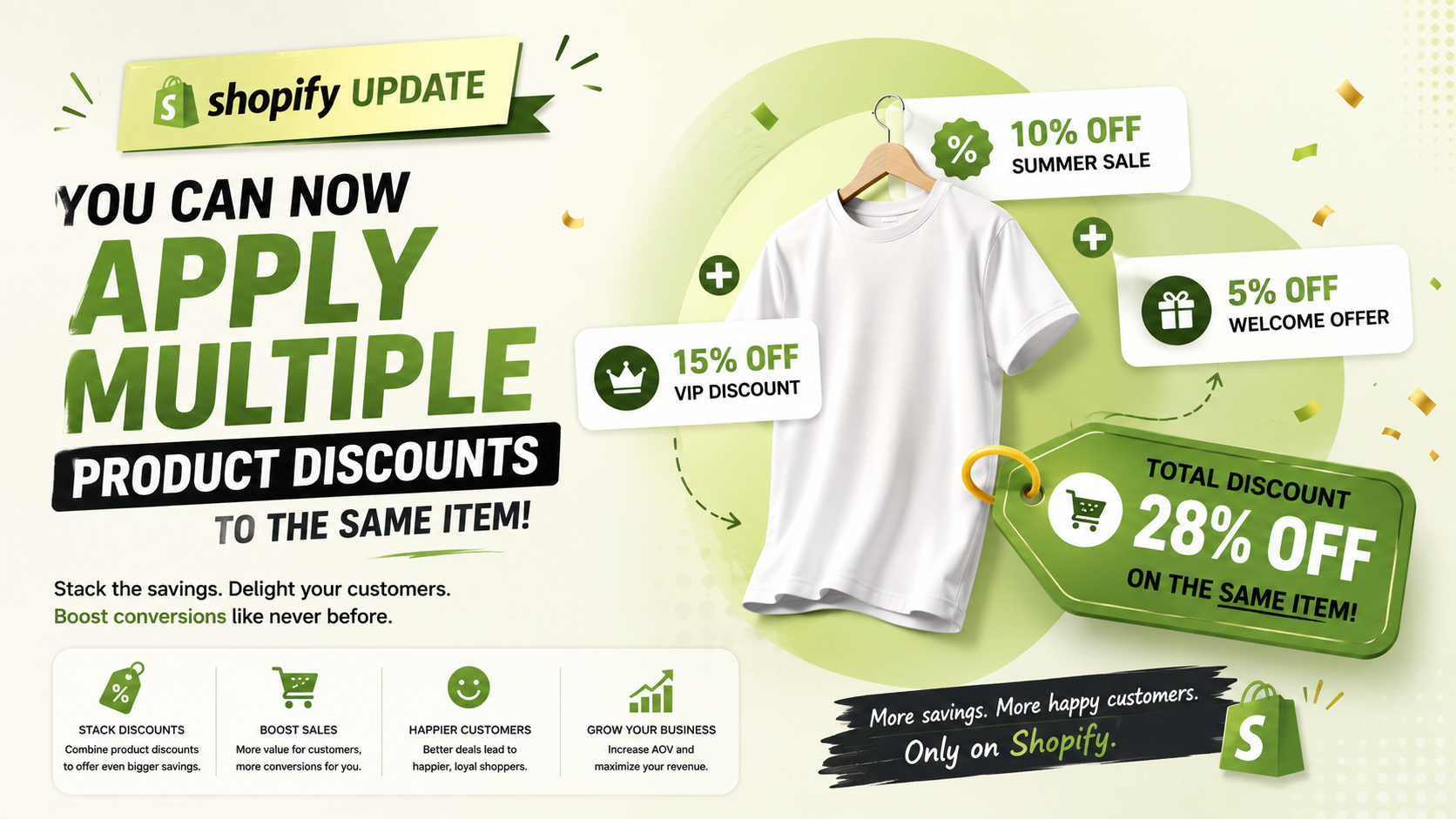
Shopify has introduced a highly anticipated feature for merchants: the ability to apply multiple product discounts to the exact same item in a single order

Shopify Update: You Can Now Apply Multiple Product Discounts to the Same Item
0 sections

Shopify has introduced a highly anticipated feature for merchants: the ability to apply multiple product discounts to the exact same item in a single order.

Previously, if an item qualified for more than one product-level discount, Shopify’s system would automatically select and apply only the single best discount available. While this prevented accidental deep discounting, it often limited promotional flexibility for store owners who wanted to stack specific offers.

What’s New?

With this latest update, merchants can now configure discount combinations so that two or more product discounts can be combined and applied to a single line item.

For example, if you are running a 20% off Summer Sale and also offer a 10% off Loyalty Reward discount, a customer purchasing a qualifying product can now receive both discounts on that single product, provided you have configured those discounts to combine.

Key Benefits for Shopify Merchants:

  • Greater Promotional Flexibility: Craft more dynamic and attractive promotional strategies (e.g., combining seasonal sales with VIP customer codes).
  • Enhanced Customer Experience: Shoppers get the exact rewards and savings they expect at checkout without feeling restricted by "one discount per item" rules.
  • Better Conversion Rates: Removing discount friction at checkout encourages customers to complete their purchases faster.
  • How to Set It Up:

    To take advantage of this feature:

  • Go to your Shopify Admin and navigate to Discounts.
  • Select an existing discount or create a new one.
  • Scroll to the Combinations section.
  • Ensure the checkmark for combining with Product discounts is enabled for the relevant promotions.
  • This update gives store owners full control over how discounts stack, helping you create tailored marketing campaigns while managing your profit margins effectively.
    Related Articles

    Shopify Storefronts Now Support UCP 2026‑08‑25 – What Developers Need to Know
    Platform Updates

    Shopify Storefronts Now Support UCP 2026‑08‑25 – What Developers Need to Know

    Shopify’s storefronts now advertise support for the Universal Commerce Protocol version 2026‑08‑25, enabling seamless capability negotiation for platforms and agents. Learn what changed, who’s impacted, and the exact steps you should take.

    September 4, 20263 min
    Staff Can Now View Customers’ Online Carts Directly in Shopify POS
    Platform Updates

    Staff Can Now View Customers’ Online Carts Directly in Shopify POS

    Shopify POS v11.14 now lets authorized staff see an identified customer’s abandoned online cart at checkout. Learn who this impacts, how to enable the permission, and actionable steps to boost in‑store conversions.

    September 3, 20263 min
    Hydrogen Developer Preview Unleashed: Variant Links, Cart Refresh, and Local HTTPS Made Simple
    Platform Updates

    Hydrogen Developer Preview Unleashed: Variant Links, Cart Refresh, and Local HTTPS Made Simple

    Shopify’s Hydrogen preview adds variant‑specific links, automatic cart refresh, and one‑command local HTTPS certificates—essential upgrades for developers building custom storefronts. Learn what changed, who’s impacted, and how to implement them today.

    September 3, 20264 min
    Instant Connectivity Insight: New POS Home Status Icon
    Platform Updates

    Instant Connectivity Insight: New POS Home Status Icon

    Shopify POS now shows a real‑time connectivity icon right on the Home screen, letting staff confirm device readiness before checkout. Learn what changed, who it impacts, and how to make the most of this seamless update.

    September 1, 20264 min